后台部署
站点配置
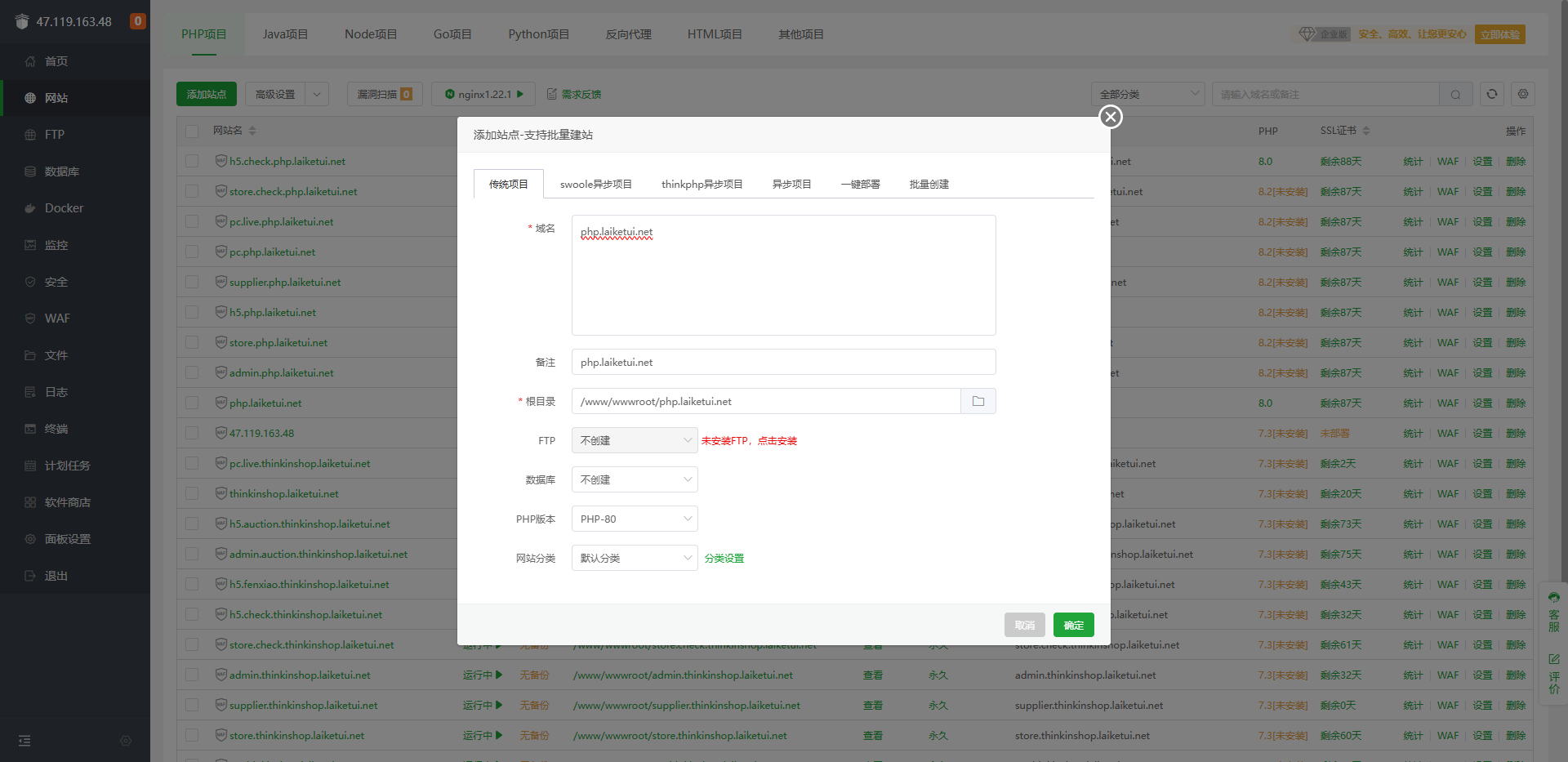
在宝塔创建php后端接口的站点
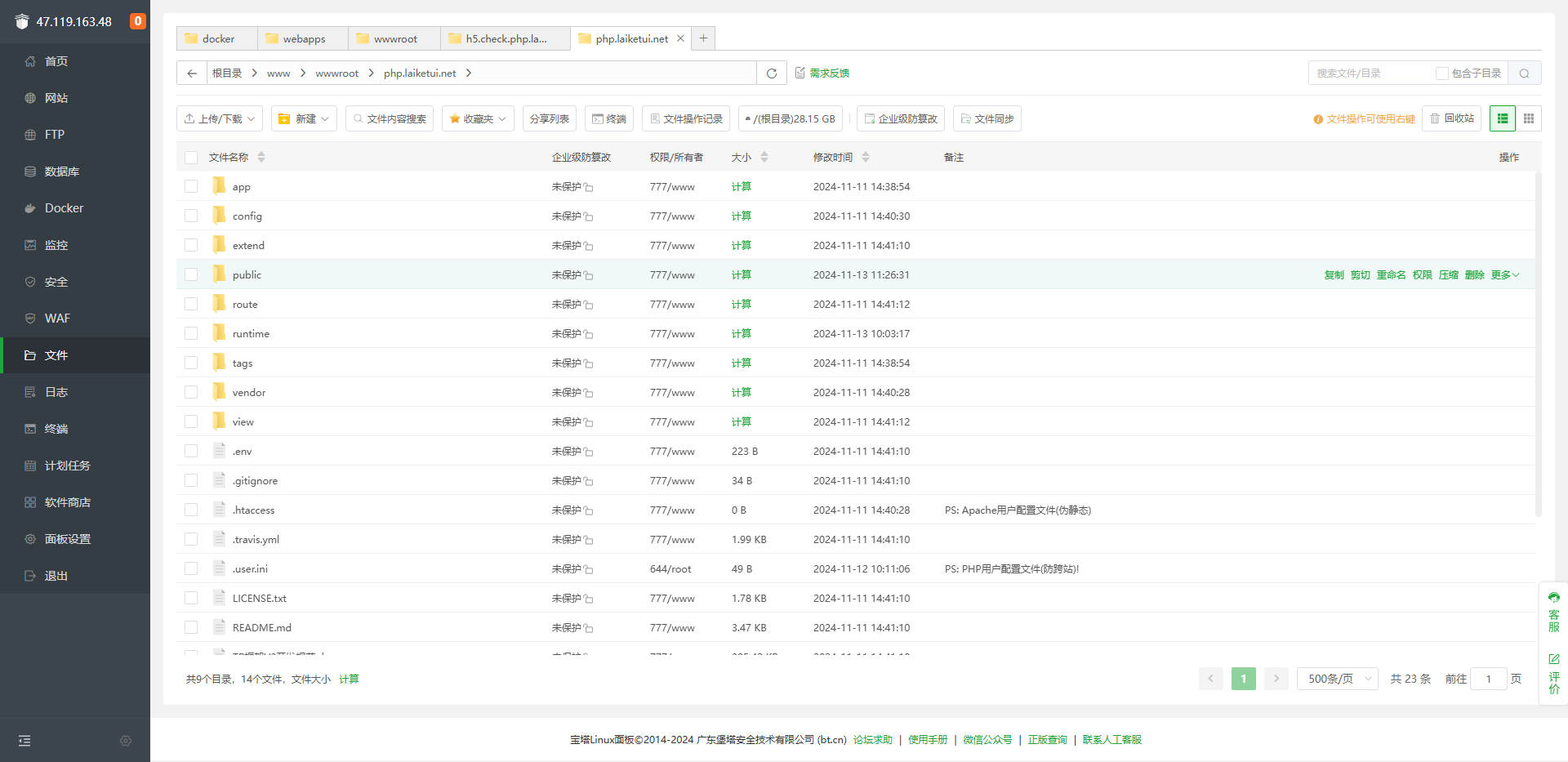
进入站点根目录,上传php项目
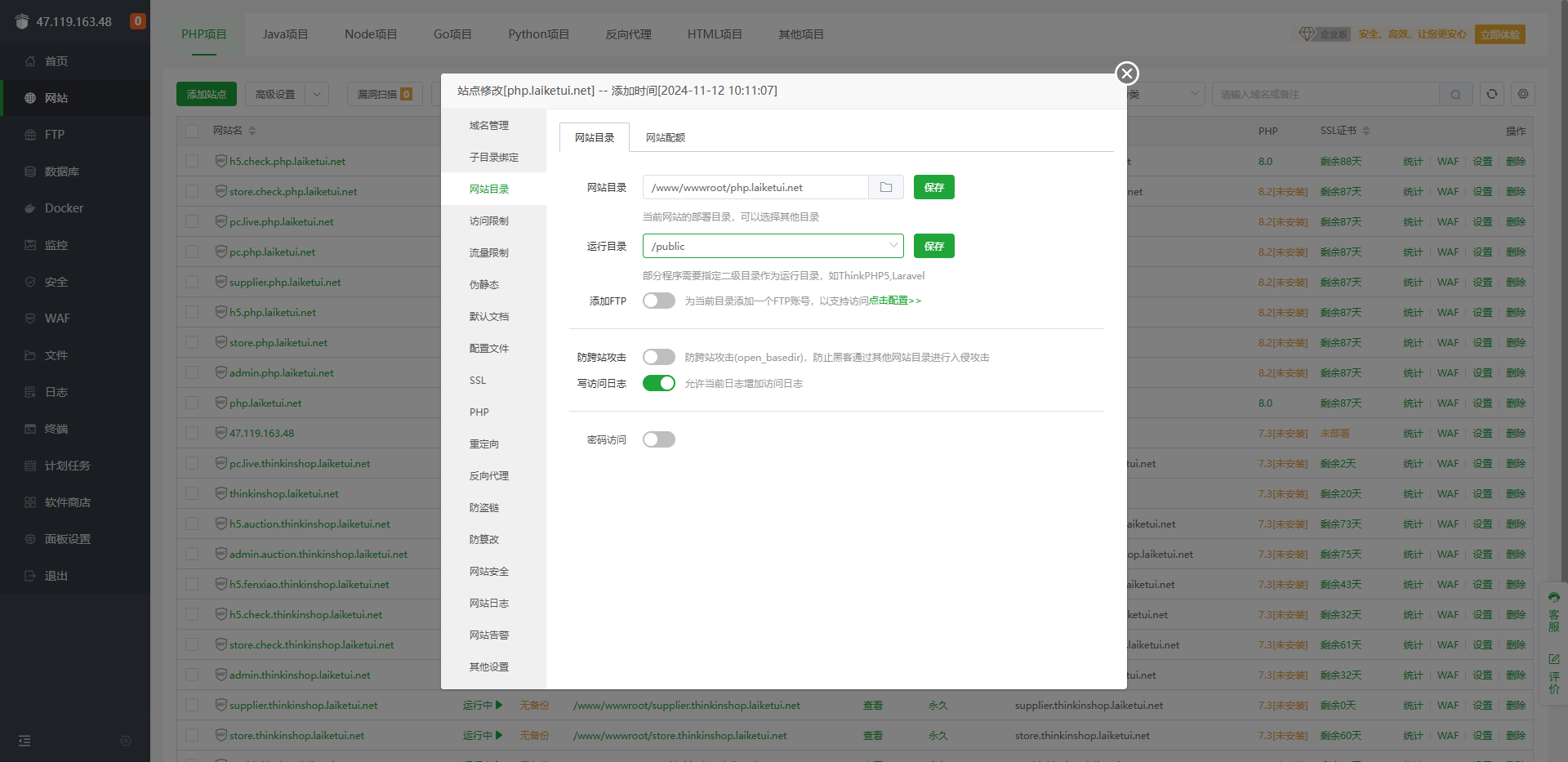
设置运行目录为public
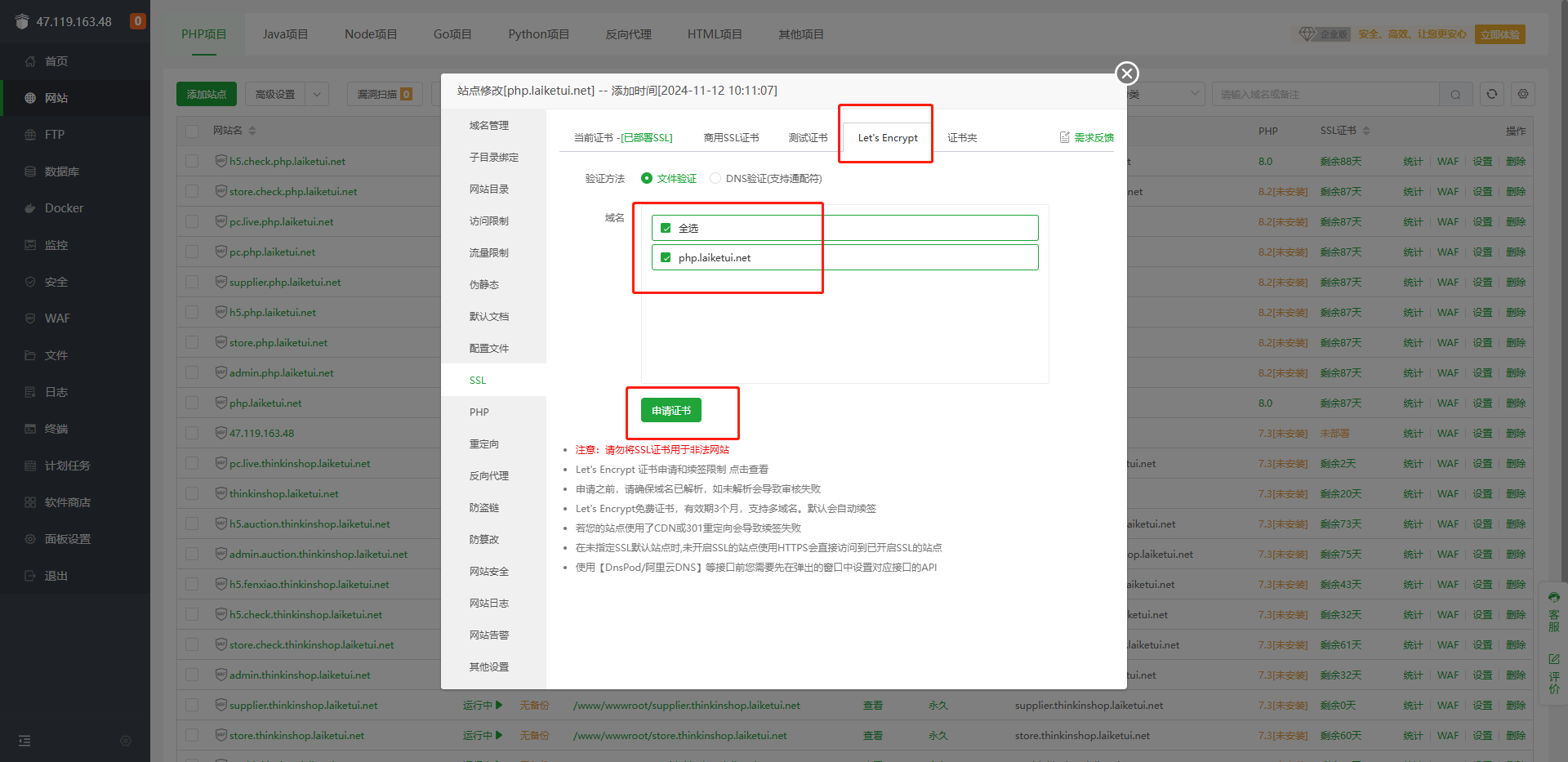
ssl认证
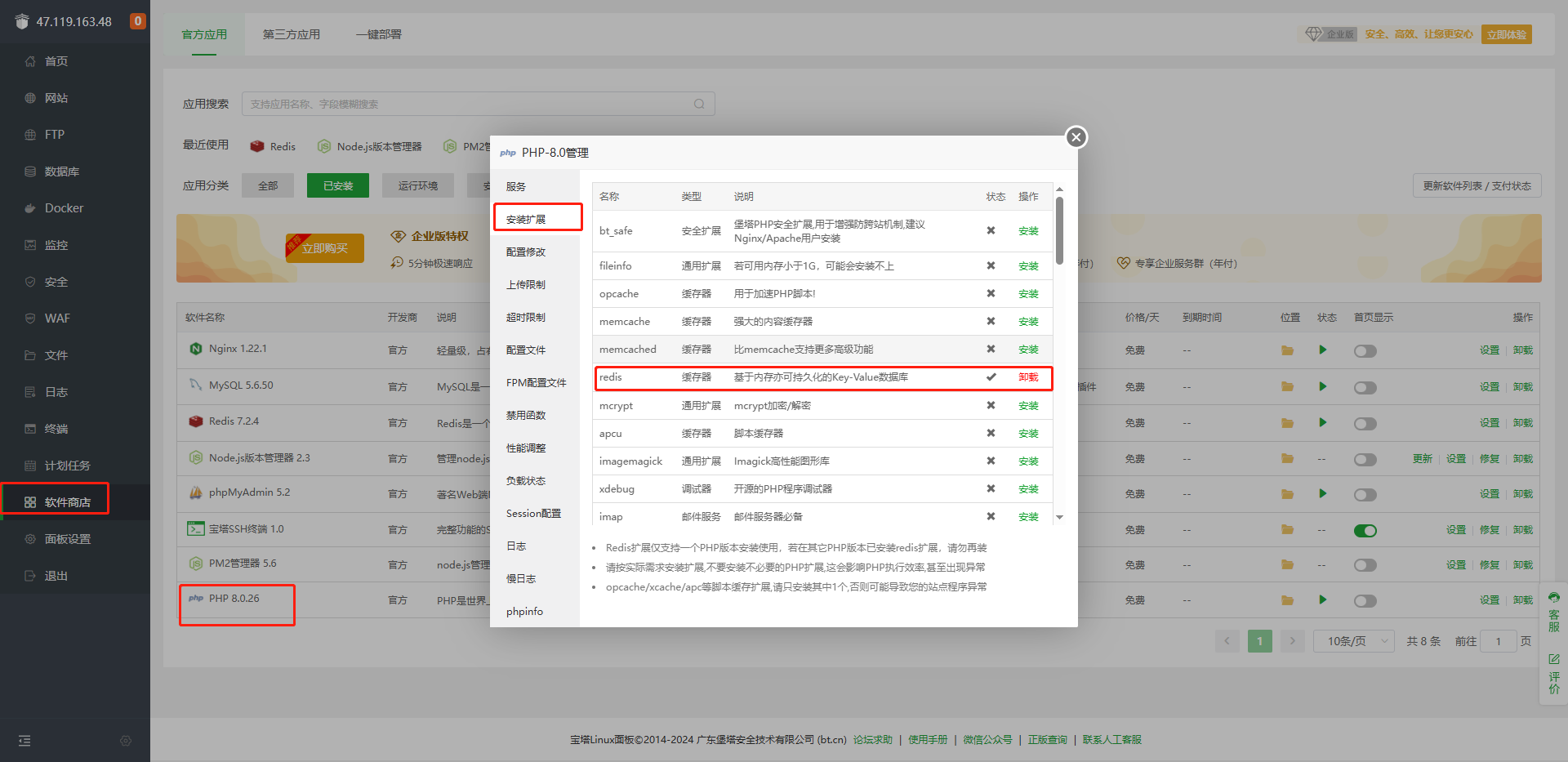
php安装redis扩展
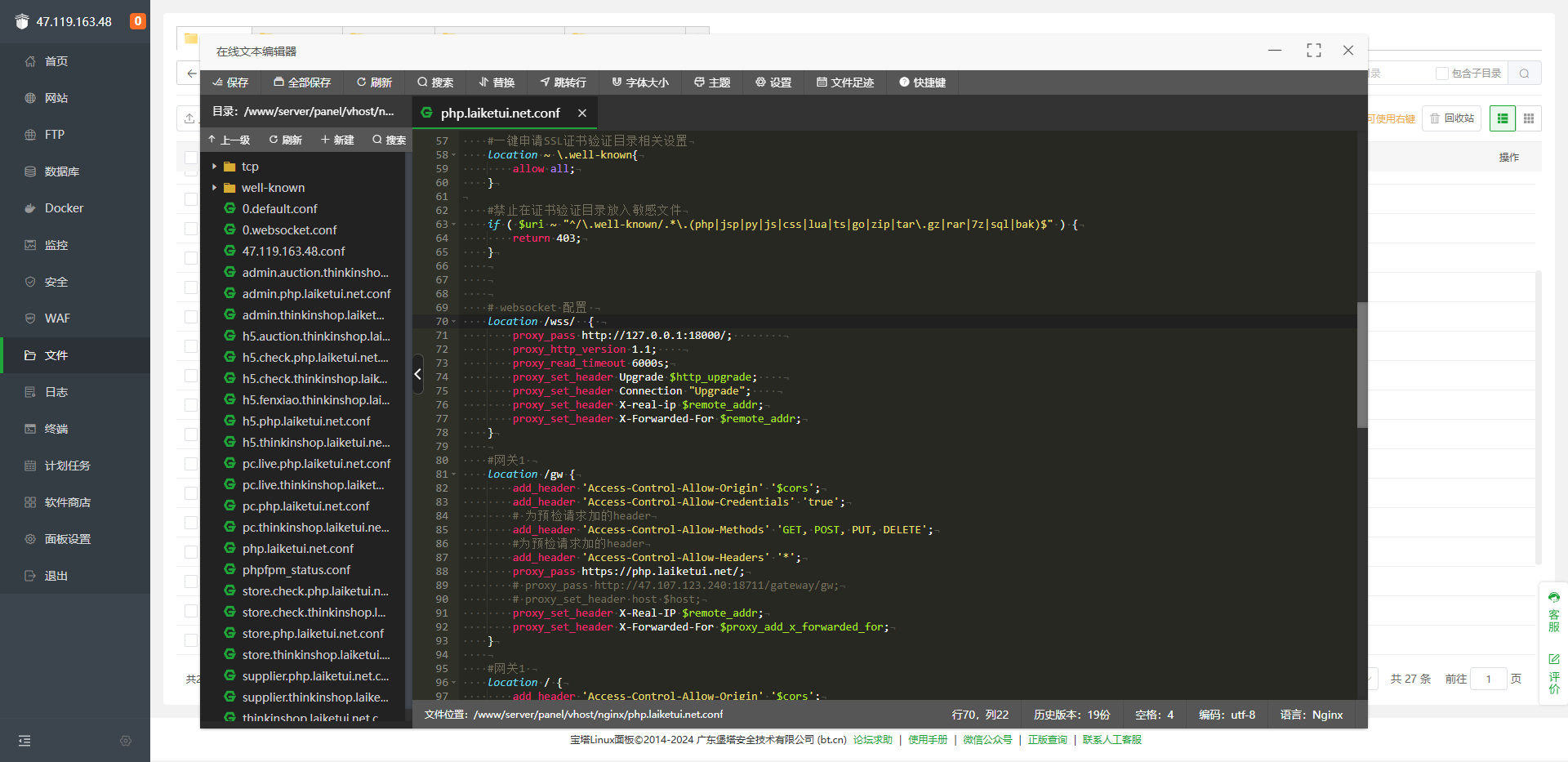
NGINX配置
配置nginx
 # websocket 配置
    location /wss/  {
        proxy_pass http://127.0.0.1:18000/;
        proxy_http_version 1.1;
        proxy_read_timeout 6000s;
        proxy_set_header Upgrade $http_upgrade;
        proxy_set_header Connection "Upgrade";
        proxy_set_header X-real-ip $remote_addr;
        proxy_set_header X-Forwarded-For $remote_addr;
    }

    #网关1
    location /gw {
        add_header 'Access-Control-Allow-Origin' '$cors';
        add_header 'Access-Control-Allow-Credentials' 'true';
        # 为预检请求加的header
        add_header 'Access-Control-Allow-Methods' 'GET, POST, PUT, DELETE';
        #为预检请求加的header
        add_header 'Access-Control-Allow-Headers' '*';
        proxy_pass https://php.laiketui.net/;
        # proxy_pass http://47.107.123.240:18711/gateway/gw;
        # proxy_set_header host $host;
        proxy_set_header X-Real-IP $remote_addr;
        proxy_set_header X-Forwarded-For $proxy_add_x_forwarded_for;
    }

    #网关1
    location / {
        add_header 'Access-Control-Allow-Origin' '$cors';
        add_header 'Access-Control-Allow-Credentials' 'true';
        # 为预检请求加的header
        add_header 'Access-Control-Allow-Methods' 'GET, POST, PUT, DELETE';
        #为预检请求加的header
        add_header 'Access-Control-Allow-Headers' '*';
        proxy_set_header X-Real-IP $remote_addr;
        proxy_set_header X-Forwarded-For $proxy_add_x_forwarded_for;
    }

    #图片配置开始
    location /pic {
        alias    /usr/local/imgs/;
        add_header Access-Control-Allow-Origin https://h5.think.laiketui.net;

    }
    location /app {
        alias    /usr/local/imgs/;
    }

    #图片分享-店铺目录
    location /share/mch {
        alias    /usr/local/imgs/share/mch;
    }

    #静态资源库
    location /images {
        alias    /usr/local/imgs/;
        add_header Access-Control-Allow-Origin https://h5.think.laiketui.net;
    }

    #验证码
    location /pc_images {
        alias    /usr/local/imgs/;
    }

    # 分享路径
    location /image/share {
        alias    /usr/local/imgs/image/share;
    }


    #图片配置结束
PHP配置
php配置修改
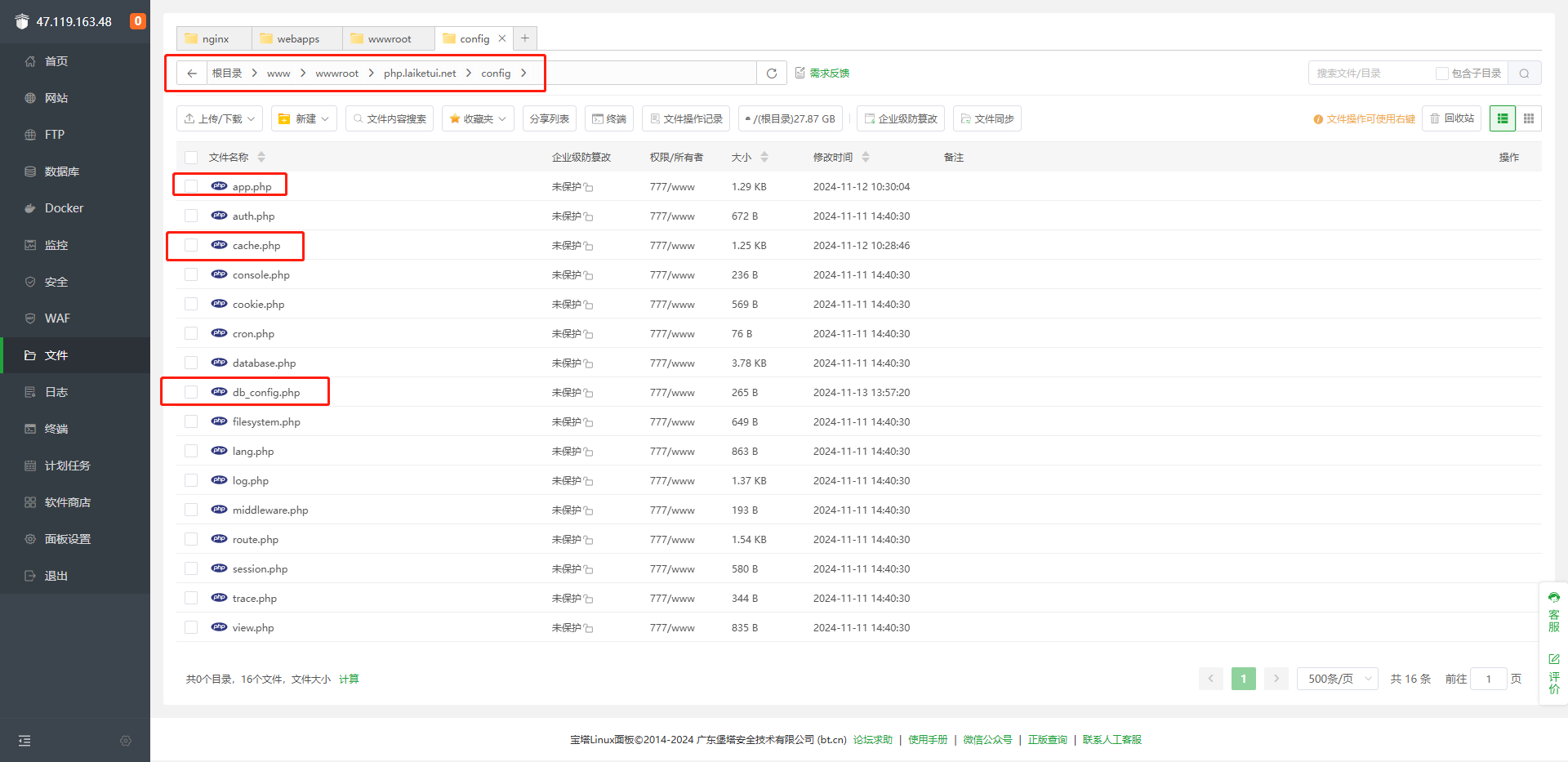
修改域名配置
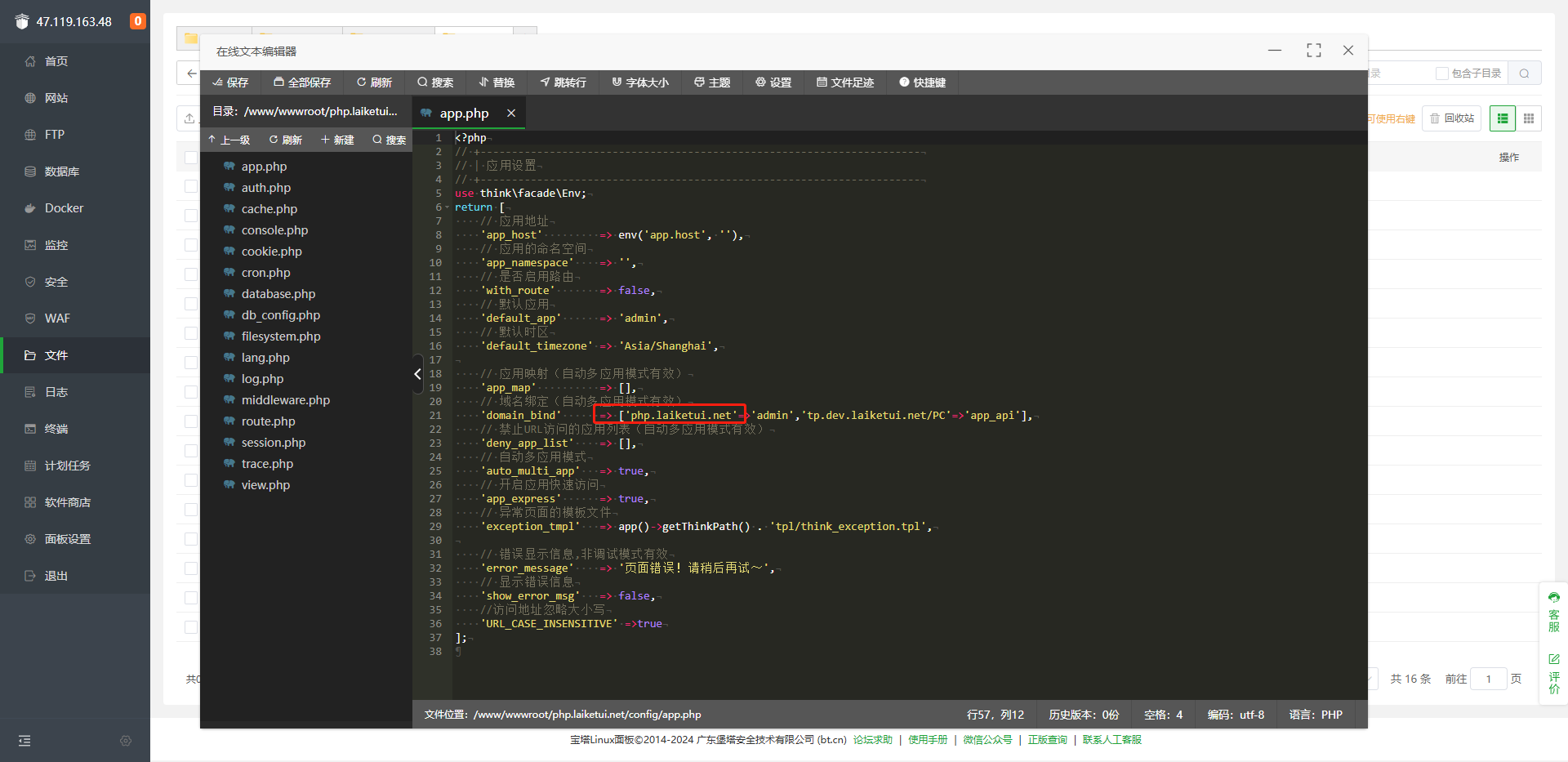
修改redis配置
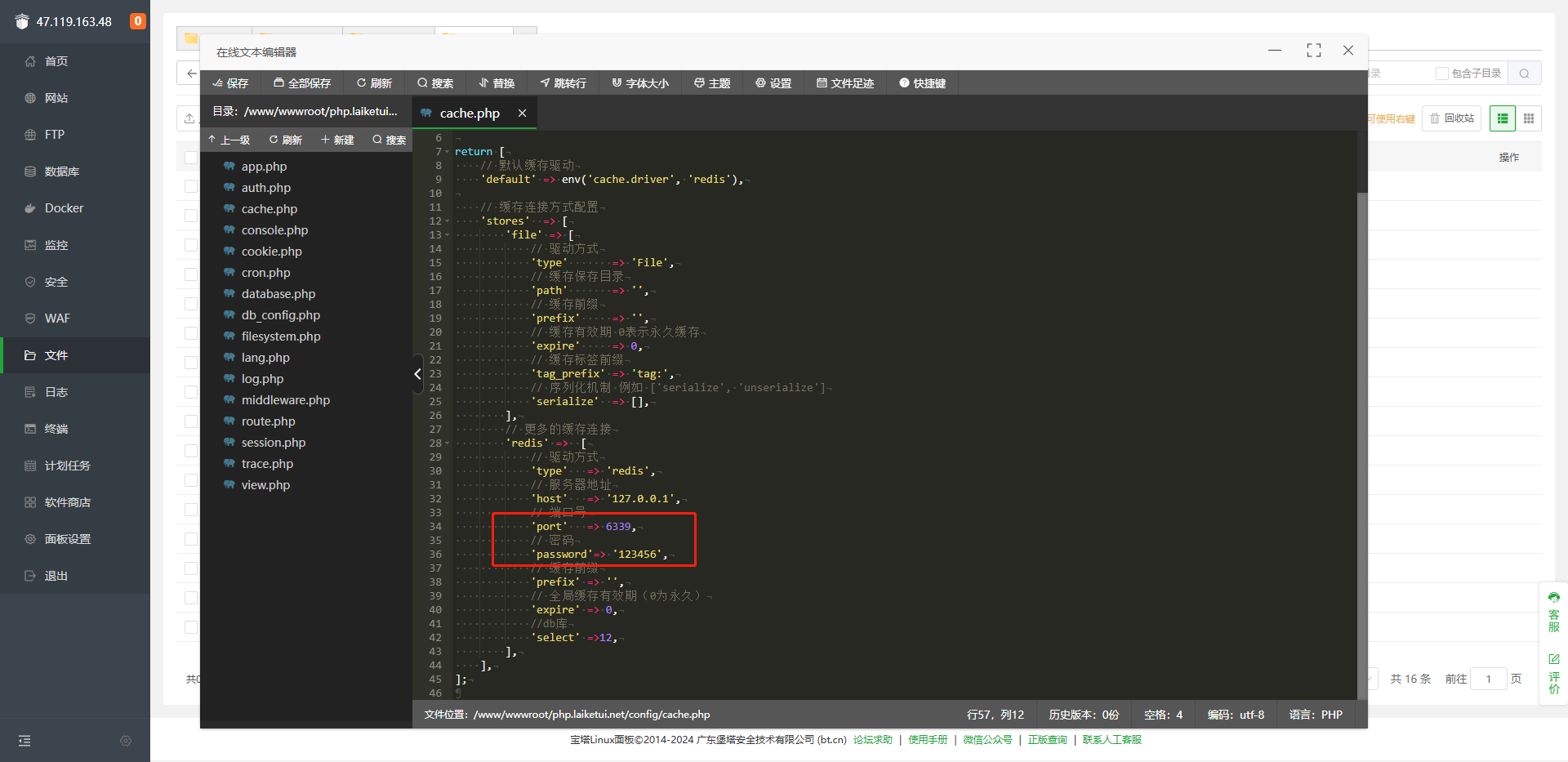
修改MySQL配置
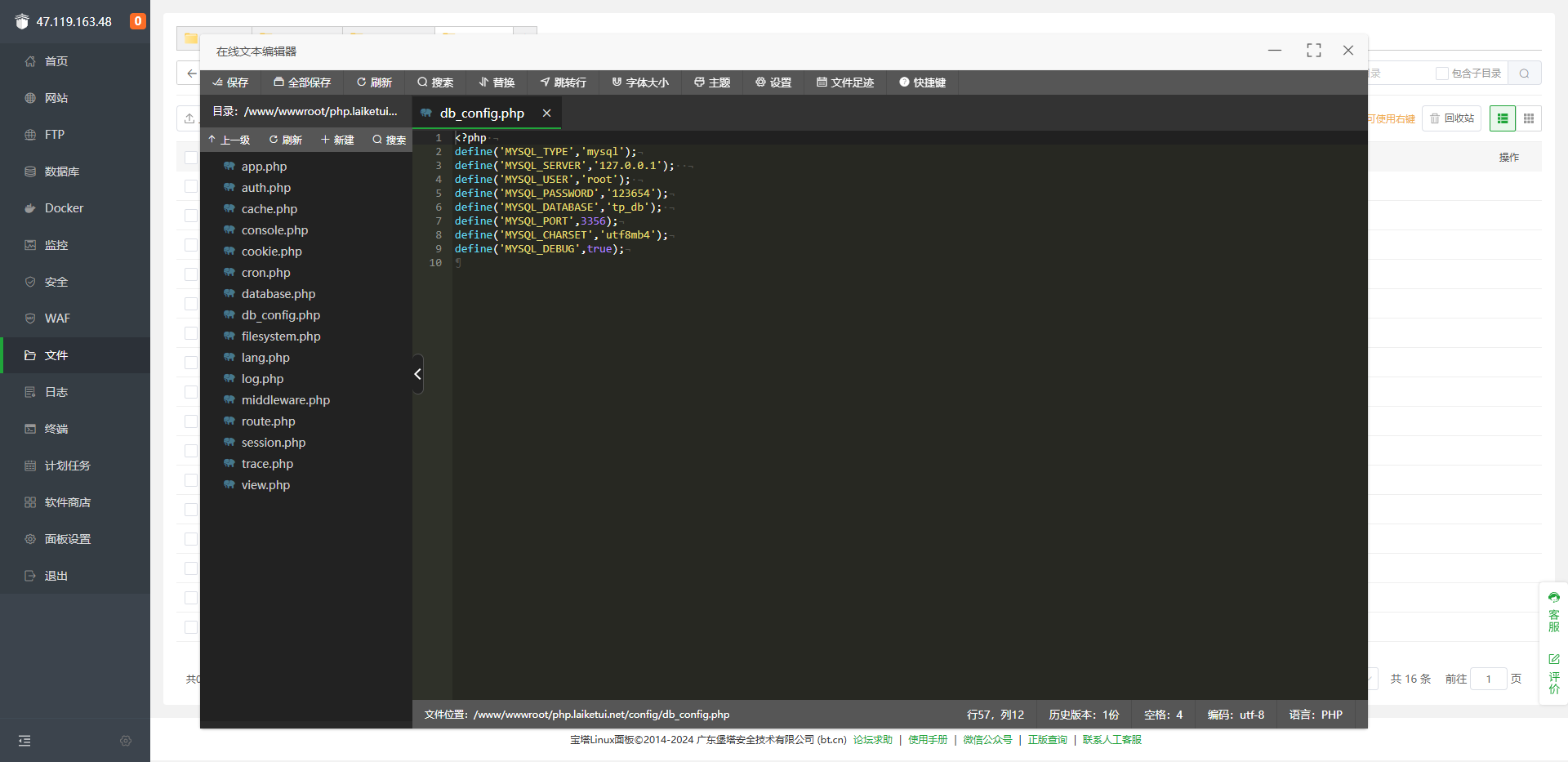
访问域名,出现LaikeAPI work!则表示后端代码部署成功

定时任务
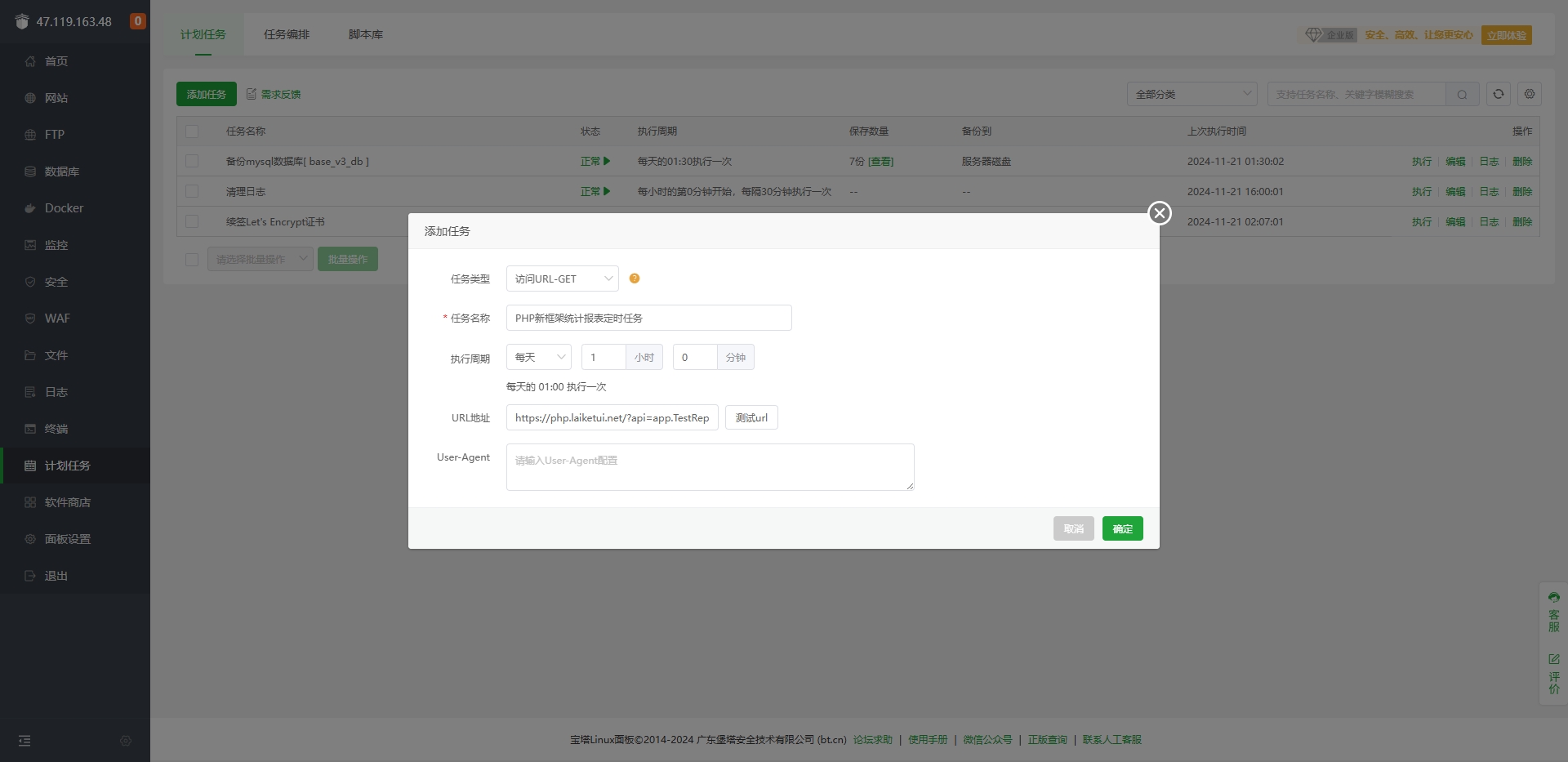
其他任务:每隔5分钟执行: http://域名?store_id=1&api=app.test.index 或 https://域名?store_id=1&api=app.test.index
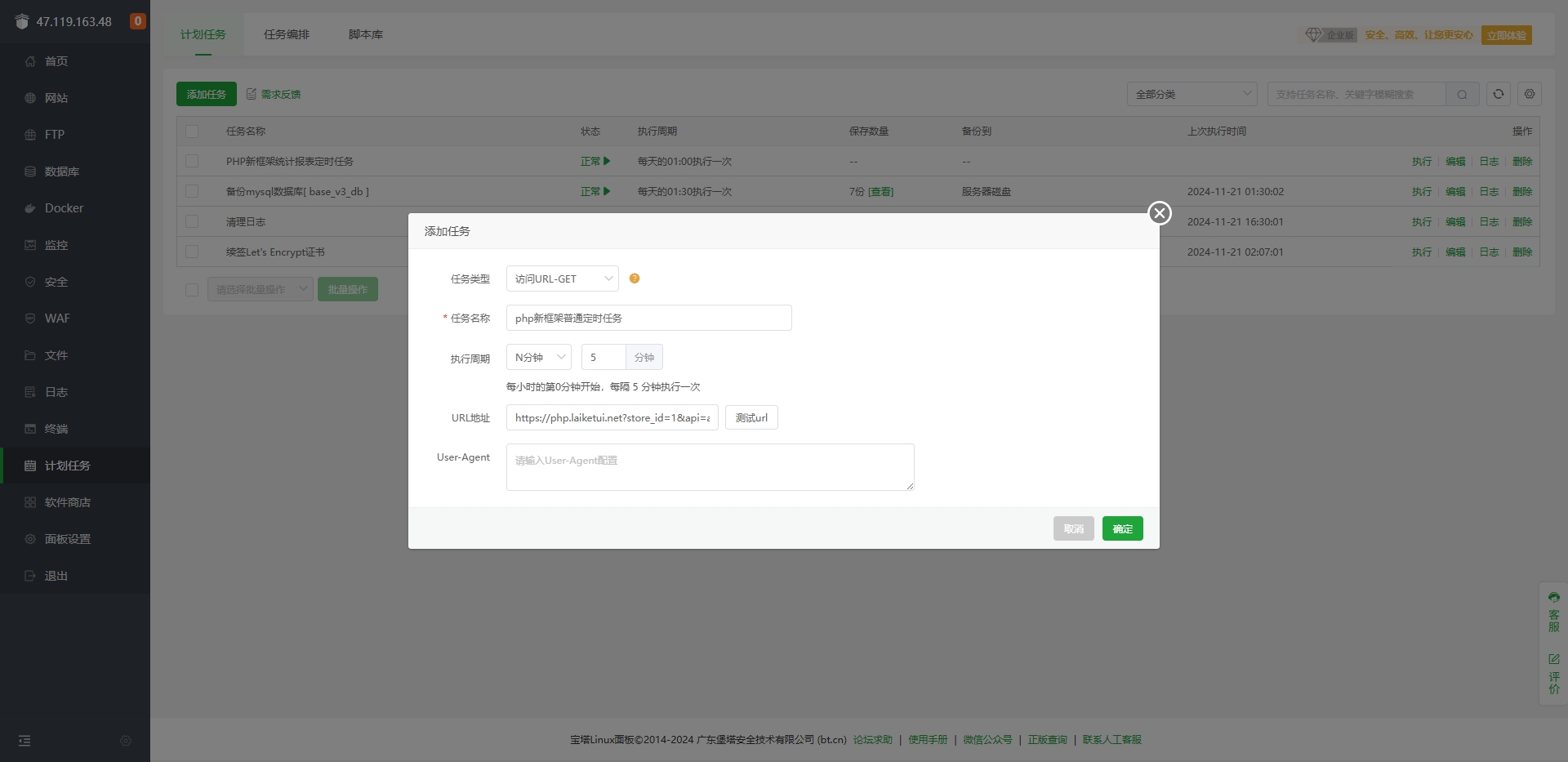
报表任务:每天, 1点0分 执行: http://域名/?api=app.TestReport.index 或 https://域名/?api=app.TestReport.index